Debug Mode
Debug Modes
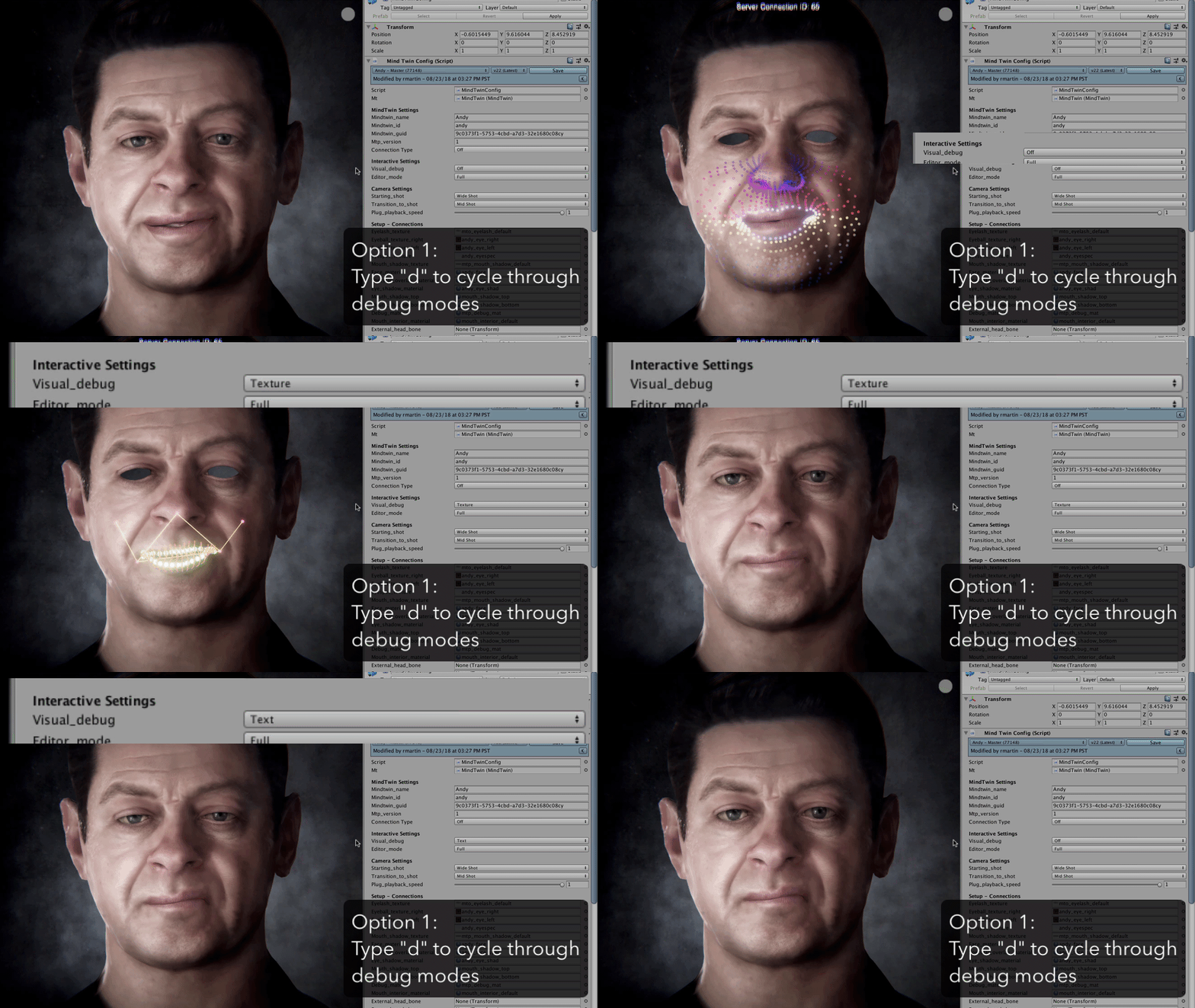
There are four debug modes that you can use to understand various aspects of the state a Puppet is in:
Full - Shows the mouth falloff point distribution
Texture - Shows the lip rig with a minimal mask texture
Text - Shows the puppet normally, with text overlay
Off
Toggle Modes
During playback, type "d" on your keyboard to cycle between the available debug modes.
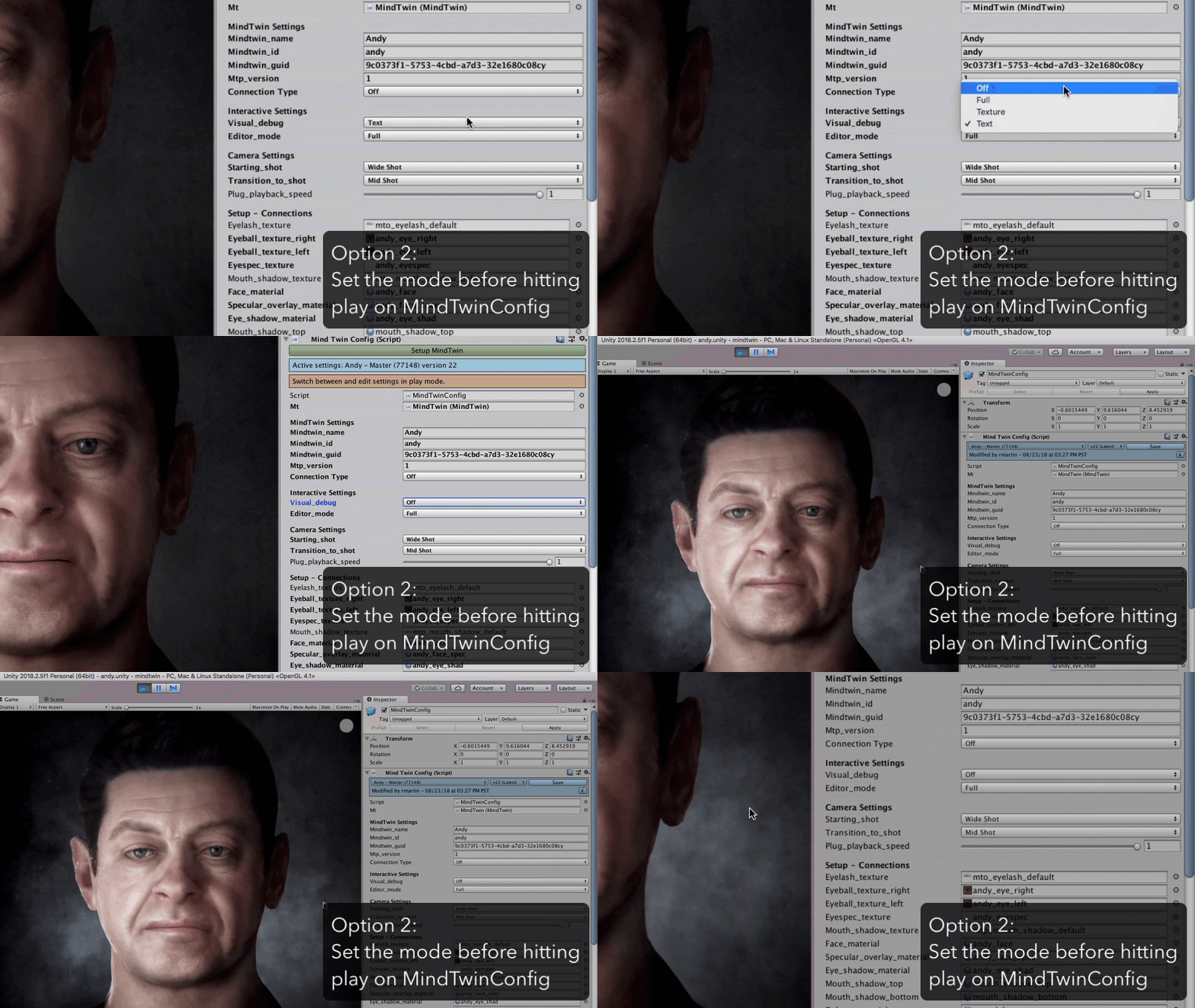
Set Permanently
When not in playback mode, navigate to the MindTwinConfig object in the hierarchy, then select the mode from the dropdown list in the inspector for the "Visual Debug" property.